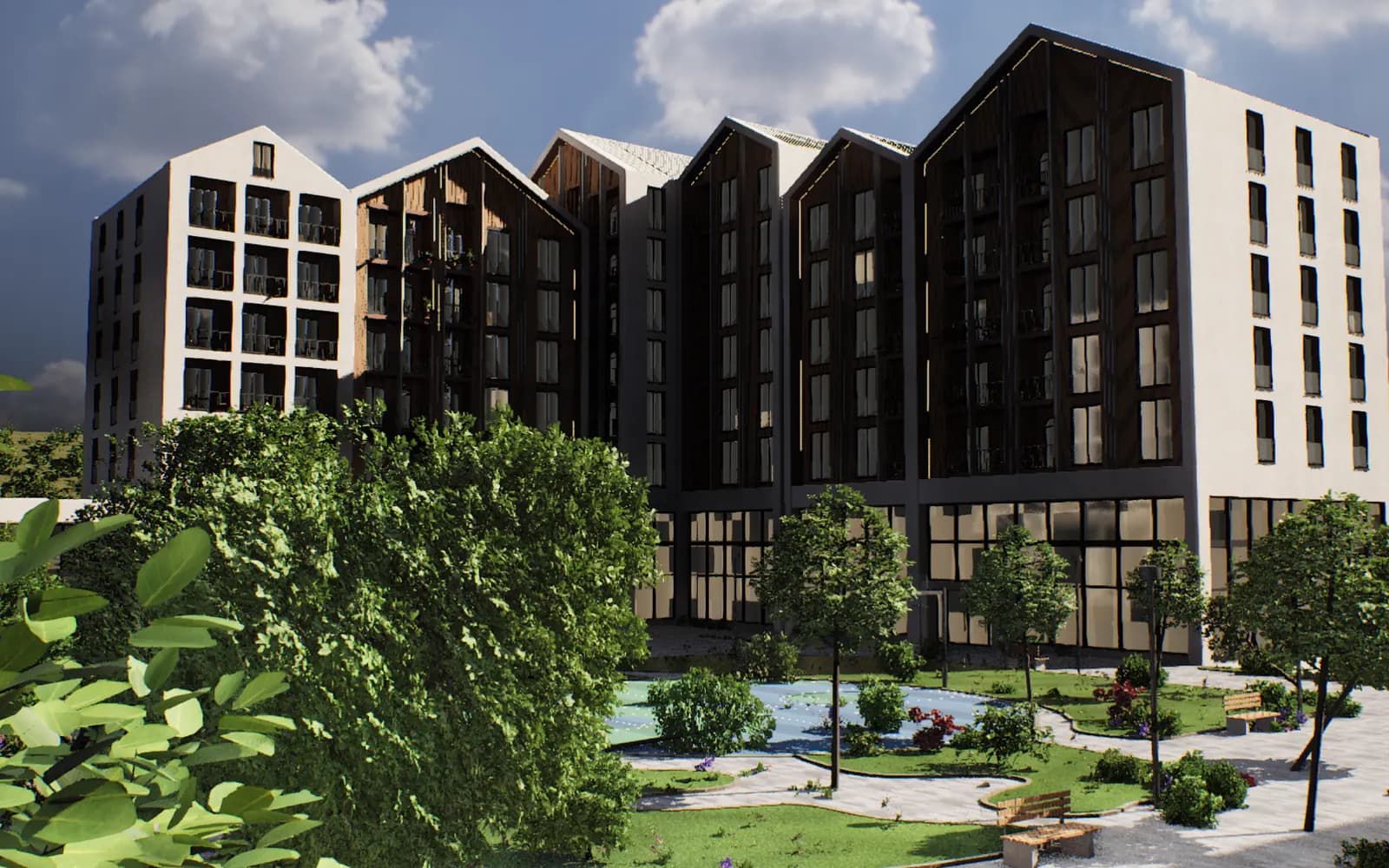
When a render doesn't sell, the reason is usually its credibility rather than its image quality. Looking at a render, the buyer asks one thing: "will it really look like this?" Nine typical mistakes make the answer "no": a wrong sun, a sky that is too perfect, an empty plastic courtyard, fake scale, missing context, an unrealistic view, different materials, no apartment-level detail, and a finished building that does not look like the render.
Key takeaways:
- A buyer checks a render for credibility first: one false detail casts doubt on everything else.
- The sun must be set by the project's real coordinates; Unreal Engine has a ready-made tool for this.
- The courtyard, the trees and the view must be shown as they will be on site; if tree sizes are for handover day, say so.
- Check a studio's work with two tests: a 1:1 crop and the same frame rendered at different times of day.
- The most expensive mistake shows up at the end: when the finished building does not look like the render, the buyer looks at your next project with suspicion too.
How buyers look at a render
In the sales office a buyer looks at a render for a few seconds, then zooms in on a phone and points at a spot: "will this tree be there?", "is this our side?", "where is this building, where is the sea?". A good render answers these questions by itself. A bad one forces the manager to make excuses.
In a building under construction, the render is the product's promise. The buyer pays for that promise, and the more precise it is, the stronger their trust. We explain separately why honest advertising matters for sales in the article on advertising unbuilt buildings.
We have split the nine mistakes into five groups: light, courtyard and scale, context, materials, and finally the most expensive one.
Light and sky
1. The sun comes from the wrong side
The studio puts the sun wherever it looks good in the frame. A buyer who knows the site, however, knows where the sun rises and sets and notices the mismatch at once. Worse, a wrong sun also shows the wrong apartments as bright or in shade.
In Unreal Engine the sun's position is calculated from latitude, longitude, time zone, date and time, and can be changed from the interface (Epic Games documentation). Ask the studio to write down the date and time for every frame.
2. The sky is too perfect
A dramatic sunset in every frame, the same "ideal" clouds in every frame. The more serious problem is a sky that does not match the light falling on the building: shadows fall one way while the bright part of the sky is on the other side. The buyer may not be able to name it, but they sense that the picture is "fake".
AI tools increase this risk. In the CGarchitect 2024/25 survey, 56% of respondents said they use AI tools (CGarchitect survey). An AI-"polished" render can gain details that are not in the project, so compare every such frame with the model itself.
Courtyard and scale
3. The courtyard is empty and plastic
A smooth green lawn, trees like balls, not a single person. A courtyard like that looks like a model in a museum. In a city the buyer buys the courtyard along with the apartment: they want to see where the child will play, where to sit in the shade, how the courtyard is lit in the evening.
Put real tree species, benches, lighting and people who look like your buyers into the courtyard. We collected detailed rules for showing greenery in the article on courtyard and landscape visualization.
4. The scale is fake
A wide-angle camera makes the courtyard look many times bigger than it is. Human figures are taller than the doors, the cars are from another class, the railings reach a person's knee. The buyer does not measure anything, but on site they see the courtyard "shrink".
Ask the studio for at least one frame at eye level with a normal focal length. A human figure next to a door is the simplest way to check scale.
Context and views
5. There is no context
The building stands on a white background or in an invented green field. The buyer does not recognise the place: where is the road, how close is the next building, which way are the metro, the school, the sea. In Baku buyers choose the location as carefully as the apartment, and a render without context does not show the location.
Keep the neighbouring buildings and streets, even in simplified form. Base the aerial frame on a real drone photo of the site.
6. The view is not real
The sea is visible from every floor, the neighbouring tower has been removed from the frame, the third-floor view was actually taken from fifty metres up. This mistake turns into complaints after handover, because the buyer sees that view from their window every day.
The rule is simple: the view from a specific floor must be based on a photo taken from that height or on an accurate model of the surroundings. If it is not, label the frame as an "illustration".
Materials and detail
7. The materials are different
Instead of the project's material, the facade has a texture taken from a catalogue. Timber looks like plastic, glass mirrors the sky, the texture repeats in a 1:1 crop. In the sales office the buyer touches the material sample, then looks at the render and sees they are different.
Write the materials into the brief with manufacturer and colour code. You can use our ready-made brief template for this.
8. There is no apartment-level detail
Renders sell the complex, but the buyer buys an apartment. Their question is specific: which floor, which side, what can be seen from the window, what is the layout. General frames do not answer it.
The area on the floor-plan card must match the figure in the contract. A Supreme Court ruling of 25 February 2025 holds developers liable for the accuracy of apartment areas (Caspian Legal Center). An interactive model solves this problem differently: the buyer selects the apartment, it lights up on the facade and its floor plan opens. You can check whether your project is ready for such a model with the short questions on the 3D Master Plan page.
The most expensive mistake: the finished building does not look like the render
9. The render and the result differ
During construction the facade material is swapped for a cheaper one, half the trees in the courtyard disappear, the loggia glazing changes. Someone who bought an apartment from the render sees the difference on handover day and tells the neighbours, and everyone else in Instagram comments.
If the project has changed, the renders must change too: on the website, on the portals, in the sales office. If every channel comes from one model, the update is made once and is the same everywhere. In every frame showing something not yet built, state clearly that it is a visualization. The same honest visual language across all channels is the foundation of a premium brand; we discuss this in the article on premium brand marketing.
How to check a studio's work
Two tests quickly show what is behind a finished render.
The 1:1 crop. Ask for the full-size file and open part of the facade, a railing, a tree and a human figure at 100%. Repeating textures, floating objects, blurred edges and details cutting into each other all show up here. A downsized Instagram image hides all of this.
The same frame at different times of day. Ask the studio to render the same camera in morning, day and evening light. With a real 3D model this only takes extra render time, and the shadows move logically. If the frame was "painted" in Photoshop, the evening version quickly falls apart.
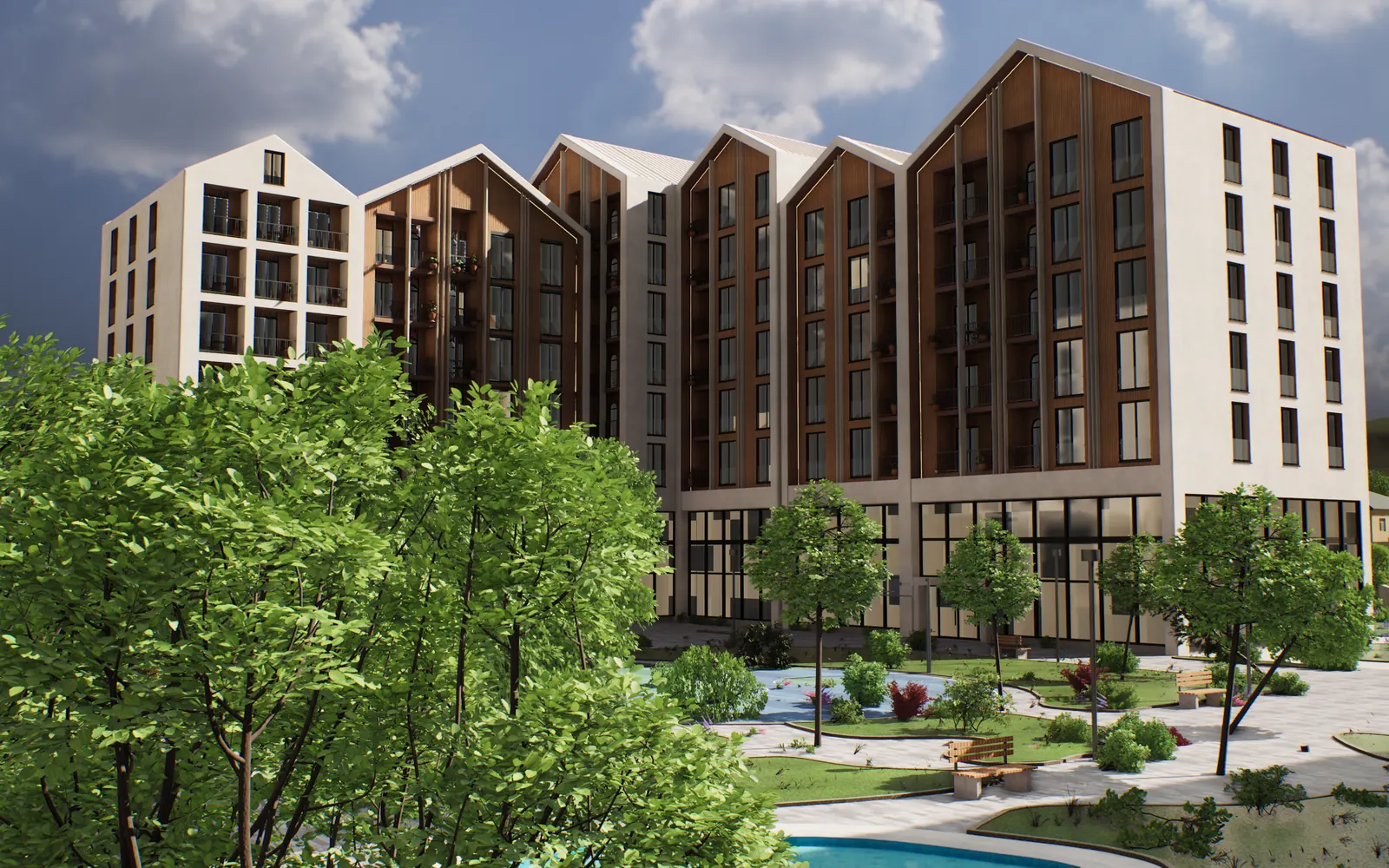
The same camera in daylight. Unreal Engine 5, real-time model.
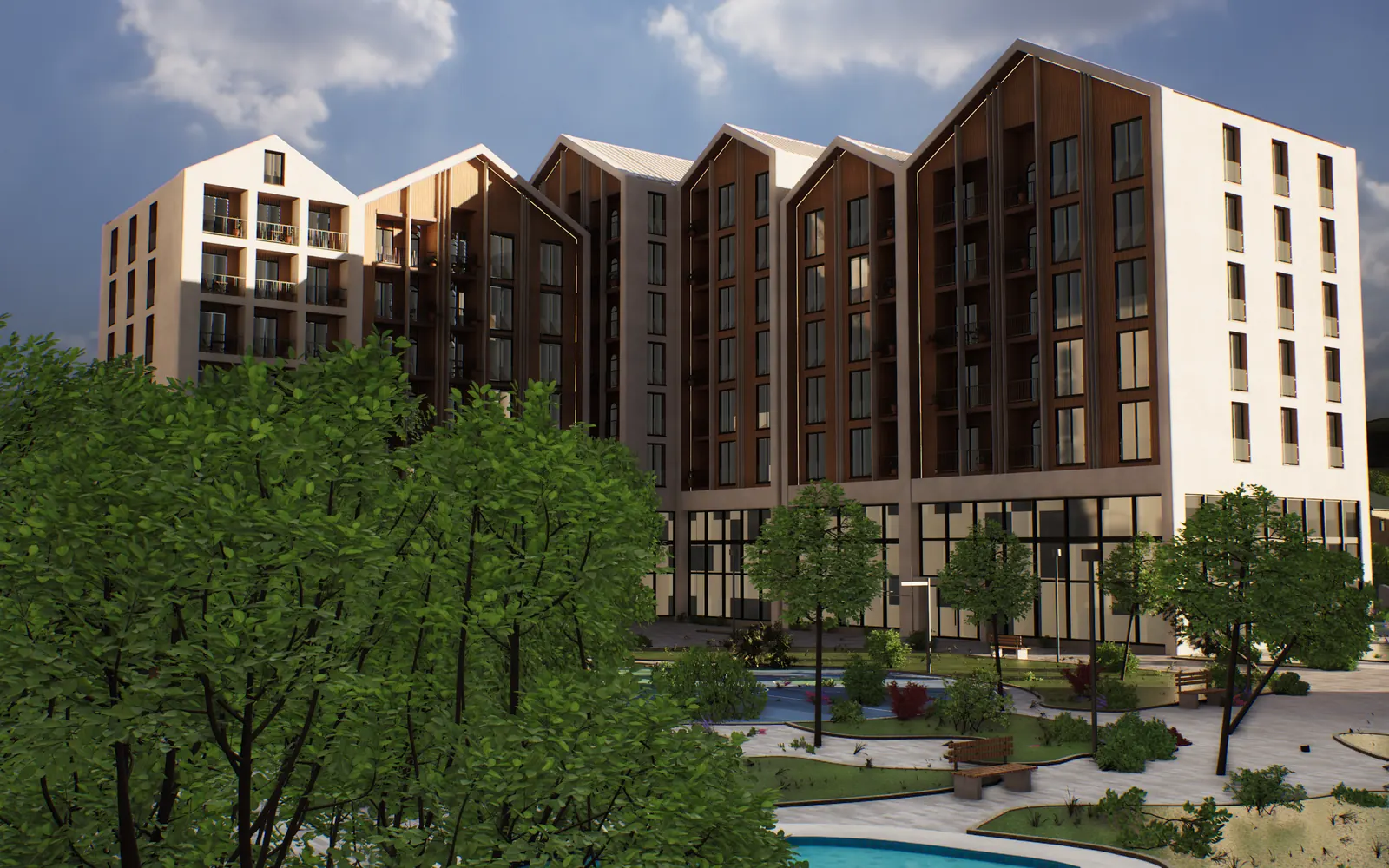
The same camera in evening light: shadows lengthen with the sun's real movement.
You can check the nine mistakes at acceptance with this table:
| Mistake | What the buyer thinks | How to check |
|---|---|---|
| Wrong sun | "This side isn't that bright" | Date and time of the frame, a map of the site |
| Perfect sky | "The picture is fake" | Do the shadows match the light in the sky |
| Plastic courtyard | "Who lives here?" | People, benches, real tree species |
| Fake scale | "The courtyard turned out small" | Eye-level frame, a person next to a door |
| No context | "Where is this?" | Neighbouring buildings, roads, drone photo |
| Unrealistic view | "You won't see that from the window" | Height and source of the view |
| Different materials | "The sample was different" | Material code, 1:1 crop |
| No apartment detail | "What about my apartment?" | Floor plan, area, floor, side |
| Render and result differ | "We were misled" | Comparison with construction photos |
In Baku, Advertol builds 3D Master Plans for developers in Unreal Engine 5: the sun is set to the project's real coordinates, morning, day and evening light switch with one tap, and the renders, video and apartment picker all come from the same model. That is why the second test is a single tap in our model. If you would like to go through your current renders against these nine points, book a 15-minute meeting.
For the overall picture of formats and what to order at which stage, see the guide what is architectural visualization.
Frequently asked questions
Why doesn't a render look real?
The cause is often light and scale: the sun comes from the wrong side, the sky does not match the light on the building, a wide-angle camera enlarges the courtyard. An empty courtyard and catalogue textures also make the image look like a scale model. A sun set by real coordinates, real materials and an eye-level frame remove most of these problems.
How can you tell a good render?
A good render answers the buyer's questions: where the building is, which side is bright, what is in the courtyard, what can be seen from the window. In the full-size file, details stay clean in a 1:1 crop. The same frame also looks convincing at another time of day.
How do you check a visualization studio's work?
Ask for the full-size file of one portfolio project and open it at 100%. Then ask for the morning and evening versions of the same camera. If the studio cannot provide them quickly, the frames were most likely "painted" one by one rather than built on a real model.
What should you do if the finished building differs from the render?
As soon as the project changes, update the renders on the website, on the portals and in the sales office, and tell buyers about the difference in advance. A difference that surfaces on handover day damages trust more than anything else. If all channels come from one 3D model, the update is made once.
Can you make renders with AI?
AI tools are widespread in visualization, but they can also create details that are not in the project. Compare every AI-processed frame used for sales with the model itself: the facade, windows, trees and view must stay as they are in the design.